
Dealing with a soundbar no sound hdmi arc failure is one of the most frustrating home theater headaches because the HDMI cable looks securely seated, the television picture displays normally, and yet the room stays completely silent. Unlike older analog cables that carry a continuous voltage signal, HDMI Audio Return Channel (ARC) and Enhanced Audio Return Channel (eARC) depend on a bidirectional digital handshake between your display, your soundbar, and every upstream source connected to the system.
When any link in that chain breaks—whether from a swapped HDMI port, a disabled HDMI-CEC switch, an unsupported bitstream codec, a frozen firmware buffer, or a directional cable installed backward—the TV mutes its internal speakers and the soundbar stays dark. Before replacing hardware or buying one of the best soundbars, walk through this ordered, lowest-risk diagnostic sequence to restore clean audio without damaging ports or guessing at settings.
Safety & Installation Notice Before You Touch Any Cables: Power down both the television and soundbar before unplugging or reseating HDMI connectors so transient static or voltage spikes do not stress HDMI transceiver boards. If your soundbar or television is wall-mounted, follow the manufacturer’s installation instructions and verify that brackets are anchored into wall studs or manufacturer-rated masonry hardware rather than bare drywall. Never route a standard soundbar AC power cord inside a wall cavity; any HDMI or speaker cabling run behind drywall must carry an Underwriters Laboratories (UL) CL2 or CL3 in-wall fire rating and meet local building codes. Consult a licensed electrician or qualified low-voltage AV installer before cutting walls, adding recessed power outlets behind a display, or diagnosing persistent electrical hum. Finally, set the master volume to a low, comfortable level before playing level-calibration tones or switching inputs so sudden sound restoration does not startle the room.
In This Diagnostic Guide
Fast Symptom-to-Cause Triage Table
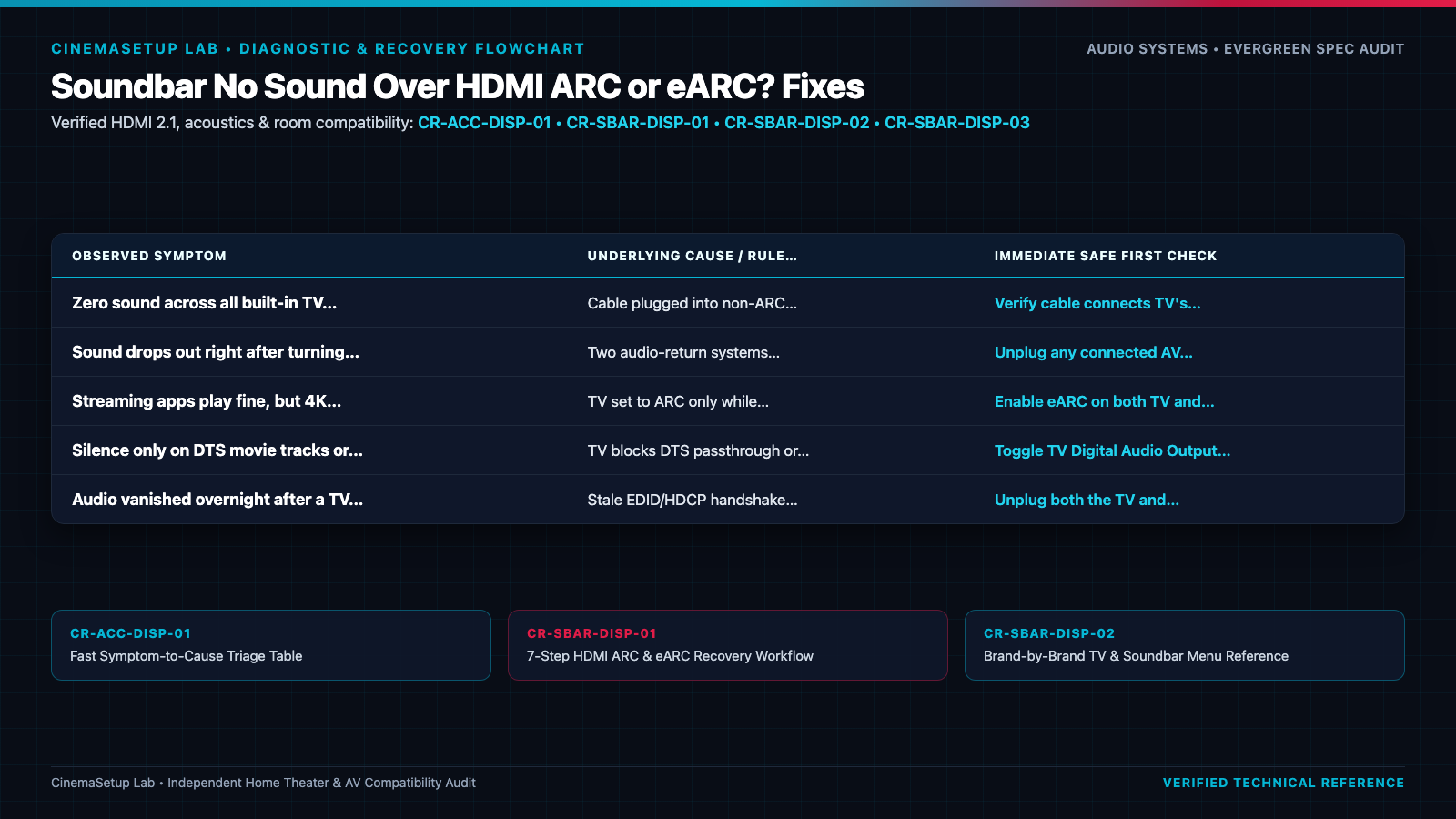
Every silent HDMI ARC or eARC setup leaves clues in how it fails. Match your exact symptom in the diagnostic table below to identify the underlying compatibility rule and jump straight to the safest first check.
| Observed Symptom | Underlying Cause / Rule Trigger | Immediate Safe First Check |
|---|---|---|
| Zero sound across all built-in TV apps and HDMI inputs | Cable plugged into non-ARC port, CEC off, or bar set to Bluetooth/Optical (CR-SBAR-DISP-01) | Verify cable connects TV’s labeled HDMI ARC/eARC port to bar’s HDMI OUT (TV) port and set bar input to TV/eARC. |
| Sound drops out right after turning on a second device | Two audio-return systems fighting over the single ARC/eARC bus (CR-SYS-03) | Unplug any connected AV receiver or HDMI matrix box so only the soundbar occupies the TV’s CEC audio-return role. |
| Streaming apps play fine, but 4K Blu-ray or console is silent | TV set to ARC only while source sends lossless TrueHD or 5.1/7.1 LPCM (CR-SBAR-DISP-02) | Enable eARC on both TV and soundbar, or change source audio output to bitstream Dolby Digital Plus. |
| Silence only on DTS movie tracks or disc menus | TV blocks DTS passthrough or bar lacks DTS decoding (CR-SBAR-DISP-04) | Toggle TV Digital Audio Output from Pass Through to Auto or PCM, or plug the disc player directly into the bar’s HDMI IN. |
| Audio vanished overnight after a TV firmware update | Stale EDID/HDCP handshake state in volatile memory (ISS-SBAR-EARC-HANDSHAKE) | Unplug both the TV and soundbar from AC wall power for 60 seconds, then boot the TV first and the soundbar second. |
| 4K video works on screen, but zero ARC audio returns | Legacy pre-HDMI 1.4 cable lacking HEC pin 14, or reversed directional fiber HDMI cable (CR-ACC-DISP-01) | Swap to a short certified copper cable 6 ft (1.8 m) to 10 ft (3 m) long, or flip directional fiber ends if misrouted. |
7-Step HDMI ARC & eARC Recovery Workflow (Lowest Risk First)
Follow these steps in strict order. Starting with port verification, CEC conflicts, and menu toggles resolves the majority of silent ARC/eARC cases without pulling furniture away from the wall or replacing cables.
Step 1: Confirm Physical Port Labeling on Both TV and Soundbar (CR-SBAR-DISP-01)
A television usually has three or four HDMI jacks, yet only one dedicated port includes the Audio Return Channel hardware pins. On the rear or side panel of your TV, inspect the silk-screened label next to each jack until you locate ARC or eARC. On an LG C6 OLED, for example, eARC sits on HDMI 2 while all four inputs carry 48 Gbps bandwidth. On models like the Sony Bravia 8, eARC resides on HDMI 3, which is also one of the TV’s two 4K/120Hz gaming ports—a port-budget constraint worth checking if you also own a console.
Next, inspect the back of the soundbar. Many soundbars with passthrough inputs—such as the Samsung HW-Q990H—feature multiple HDMI jacks: one labeled HDMI TO TV (eARC/ARC) and one or two labeled HDMI IN. A common installation error is plugging the TV cable into the soundbar’s HDMI IN port. Under rule CR-SBAR-DISP-01, audio return from the TV travels exclusively into the soundbar’s HDMI OUT (TV eARC/ARC) jack. Meanwhile, HDMI-only soundbars such as the Sonos Arc Ultra include a single HDMI eARC port, eliminating input mix-ups on the bar side while still requiring the exact eARC port on the TV. Also keep in mind that many home theater projectors lack ARC or eARC completely, meaning a projector cannot send audio back to a soundbar over HDMI unless a dedicated eARC audio extractor sits upstream.
Step 2: Eliminate Competing Audio-Return & CEC Devices (CR-SYS-03)
Under system rule CR-SYS-03, a television can maintain an active HDMI ARC or eARC return path with only one audio sink at a time. If you have both a soundbar and an AV receiver (such as a Denon AVR-X3900H) connected to the same TV—or even an older DVD home-theater-in-a-box, a secondary HDMI switcher with CEC enabled, or a streaming stick sending conflicting CEC power-routing commands—the Consumer Electronics Control (CEC) bus can lose arbitration and mute the soundbar.
To isolate a bus collision cleanly, power down the TV and disconnect every HDMI source except the single cable linking the TV’s eARC/ARC port to the soundbar. Launch a built-in TV streaming app (such as YouTube or Netflix on the TV’s native smart OS). If sound immediately returns, reconnect your external devices—PS5, Xbox Series X, Apple TV 4K, or 4K Blu-ray player—one at a time, checking audio after each device so you pinpoint which box is hijacking HDMI-CEC.
Step 3: Enable HDMI-CEC, Select External Audio Output, and Check Sync Modes
Standard HDMI ARC relies on HDMI-CEC to discover the soundbar and hand over volume control; even though HDMI eARC adds its own dedicated discovery heartbeat over the utility and hot-plug lines, virtually every mainstream TV firmware still hides or disables the HDMI eARC output toggle unless CEC is switched on. Brands label CEC differently in their menus:
- Samsung TVs (including Samsung S90H): Enable
Anynet+ (HDMI-CEC)under General & Privacy → External Device Manager, then set Sound Output toReceiver (HDMI-eARC)orSoundbar (HDMI-eARC). - LG TVs (including LG C6): Enable
SIMPLINK (HDMI-CEC)under General → External Devices → HDMI Settings, then set Sound Out toUse Wired Speaker → HDMI(ARC) Device. - Sony Bravia TVs: Enable
BRAVIA Sync controlunder Channels & Inputs → External inputs, and switch Speakers toAudio system. - TCL & Hisense Google TVs: Enable
HDMI Control/CEC Controlunder System or Channels & Inputs, and set Audio Output toARCoreARC.
In the same audio menu, temporarily toggle off proprietary dual-speaker sync features—such as Samsung Q-Symphony, LG WOW Orchestra, or Sony Acoustic Center Sync (CR-SBAR-DISP-03). While these features let compatible same-brand TV speakers play alongside the soundbar, a firmware mismatch or cross-brand pairing can lock the audio routing stage into silence. Setting the TV strictly to standalone wired HDMI eARC output removes that variable.
Step 4: Align Digital Audio Format, eARC Mode & Passthrough Rules (CR-SBAR-DISP-02 & CR-SBAR-DISP-04)
Silence when switching from TV apps to a 4K Blu-ray player, Apple TV 4K, or game console usually points to a bandwidth or codec mismatch rather than a dead cable. Standard ARC tops out around 1 Mbps, carrying stereo PCM, Dolby Digital 5.1, and lossy Dolby Digital Plus (DD+) with Dolby Atmos from streaming apps. By contrast, uncompressed 5.1/7.1 LPCM from consoles and lossless Dolby TrueHD Atmos from 4K Blu-ray discs require up to 37 Mbps over eARC enabled on both the TV and the soundbar (CR-SBAR-DISP-02). For a deeper breakdown of bandwidth ceilings between the two standards, review our eARC vs. ARC explained comparison.
Check your TV’s Digital Audio Output format setting and set it to Pass Through (preferred when your soundbar decodes the incoming stream) or Auto:
- Fix Console / Apple TV 4K Silence: If your TV has an
eARC Supporttoggle set toOff, multichannel LPCM and Dolby MAT Atmos signals from Xbox, PS5, or Apple TV 4K often drop silently. Switch TVeARC ModetoAutoorOn, or switch the console output toDolby Digitaltemporarily to verify sound over basic ARC. - Fix DTS Movie Silence (
CR-SBAR-DISP-04): Many recent Samsung TVs and certain older displays do not pass DTS or DTS:X audio through eARC to a soundbar. If a Blu-ray disc defaults to a DTS-HD Master Audio track and your TV blocks DTS passthrough while set toPass Through, the soundbar receives an empty stream. Switch the TV’s Digital Audio Output toAutoorPCM, or plug the Blu-ray player directly into the soundbar’s dedicatedHDMI INport (CR-SBAR-SRC-01) so audio decodes inside the bar before video passes up to the TV. Keep in mind that routing a 4K/120Hz gaming console through a bar’s HDMI input may limit VRR or 4K/120Hz unless the bar explicitly supports 40 Gbps HDMI 2.1 passthrough. - Verify Dolby Atmos Bitstream Handoffs: If regular stereo audio returns but immersive object audio still refuses to trigger, follow our companion guide on fixing no Dolby Atmos from a TV.
Step 5: Execute a 60-Second Full AC Power-Cycle Handshake Reset
Modern smart TVs and networked soundbars rarely turn completely off when you press the remote power button; they enter a low-power standby state that retains cached HDMI Extended Display Identification Data (EDID), HDCP 2.3 encryption keys, and broken CEC address tables. After an automatic overnight TV firmware update (ISS-SBAR-EARC-HANDSHAKE), that stale cache frequently leaves the eARC link locked in a muted state.
Perform a true cold boot in this sequence:
- Switch off both the television and soundbar with their remotes.
- Unplug both the TV and soundbar power cords directly from the wall outlet or surge protector (do not rely on a standby switch).
- While unpowered, wait a full 60 seconds so internal capacitors drain completely; optionally unplug and firmly re-seat both ends of the HDMI eARC cable to wipe microscopic oxidation off the gold contacts.
- Plug the television back into AC power first and turn it on. Wait 30 seconds until the smart TV operating system finishes loading.
- Plug the soundbar back in last so it initiates a fresh EDID and eARC capability announcement to an already-awake display.
Step 6: Audit HDMI Cable Spec, Passive Run Length & Fiber Direction (CR-ACC-DISP-01)
Even though ARC and eARC carry audio rather than 4K/120Hz video, the cable itself is a surprisingly common failure point under rule CR-ACC-DISP-01:
- Pre-HDMI 1.4 Legacy Cables: Very old “Standard HDMI” cables manufactured without HDMI Ethernet Channel (HEC) wiring lack the dedicated utility/pin-14 conductor that eARC relies on for high-bitrate discovery and differential audio return. Replace any unknown drawer cable with a certified Ultra High Speed HDMI (48 Gbps) cable or a verified High Speed with Ethernet (18 Gbps) cable.
- Passive Copper Length Limits: Unpowered passive copper HDMI cables can suffer high-frequency attenuation on runs longer than roughly 10 ft (3 m) to 15 ft (4.6 m). For a shelf or wall-mounted soundbar sitting 3 ft (0.9 m) to 6 ft (1.8 m) below the TV, stick to a short, certified 6 ft (1.8 m) copper cable so slack does not kink behind the bracket.
- Active Optical Fiber (AOC) Directionality: If your TV sits across the room or connects via an in-wall 25 ft (7.6 m) to 50 ft (15.2 m) active fiber HDMI cable, inspect the connector shells. Fiber HDMI cables are strictly directional (
Sourcevs.Display) and rely on internal copper sub-conductors to carry CEC and eARC backward. Installing an AOC cable backward—or using an older optical cable built before full eARC copper-pair compliance—produces crisp video on screen and zero audio return. Remember: any cable routed inside walls or ceilings must carry a ULCL2orCL3jacket rating per local building codes.
Step 7: Isolate With Optical Fallback, Firmware Updates & OEM Support
If steps 1 through 6 still yield silence, use an optical (TOSLINK) cable purely as a diagnostic isolation check—remembering the hard limits of optical under CR-SBAR-DISP-01. Optical carries stereo PCM and compressed 5.1 Dolby Digital or DTS, which immediately tells you whether the soundbar’s internal amplifiers and speakers are healthy, but optical cannot carry Dolby Atmos (DD+ or TrueHD) or CEC volume commands. Note also that HDMI-only bars like the Sonos Arc Ultra ship without a native TOSLINK jack and require a dedicated optical-to-HDMI adapter.
If optical produces clean sound while HDMI eARC remains dead across two different certified HDMI cables, check both devices for pending firmware patches via Ethernet or Wi-Fi (or USB download from the maker’s US support portal). If a newly updated firmware build still fails to establish an eARC lock with a second known-working TV or soundbar, the HDMI transceiver board on one unit likely requires warranty repair through the manufacturer’s authorized US service center.
Brand-by-Brand TV & Soundbar Menu Reference
Menu labels shift across smart TV operating systems, causing many users to miss a buried eARC or passthrough switch. Use this quick-reference matrix to confirm the exact setting names on popular US 120V models.
| Brand / Platform | CEC Setting Name | Audio Output Selection | Recommended eARC & Format Setting |
|---|---|---|---|
| LG webOS (e.g., LG C6 OLED) | SIMPLINK (HDMI-CEC) → On | Use Wired Speaker → HDMI(ARC) Device | eARC Support: On • Digital Sound Output: Pass Through (supports DTS:X bypass on compatible models) |
| Samsung Tizen (e.g., Samsung S90H OLED) | Anynet+ (HDMI-CEC) → On | Receiver (HDMI-eARC) | HDMI-eARC Mode: Auto • Digital Output Audio Format: Pass Through or Auto |
| Sony Bravia (Google TV) | BRAVIA Sync control → On | Speakers → Audio system | eARC mode: Auto • Digital audio out: Auto 1 • Pass through mode: Auto |
| TCL / Hisense (Google TV) | HDMI Control / CEC → On | Audio Output → eARC / ARC | Digital Audio Out: Pass Through (if silence on DTS, switch to Auto) |
| Samsung Soundbars (e.g., HW-Q990H) | Auto-enabled on HDMI TO TV (eARC) | Bar Display: TV eARC / D.IN | Verify SmartThings app firmware; turn off Q-Symphony temporarily if sound cuts out |
| Sonos Soundbars (e.g., Sonos Arc Ultra) | TV-side CEC required | Sonos App → TV Autoplay On | Use included HDMI cable in TV eARC port; run TV Setup in Sonos app if unlinked |
Post-Fix Verification & Lip-Sync Check
Once audio returns over HDMI ARC or eARC, spend two minutes verifying that every channel and format behaves reliably before tidying up cables behind your media console:
- Run Built-In Level-Calibration Tones: Keep the master volume comfortable and trigger your soundbar’s built-in level-calibration tones (available inside the companion app or setup menu on models like the Samsung HW-Q990H and Sonos Arc Ultra) to confirm left, center, right, subwoofer, and any wireless rear or up-firing channels respond cleanly.
- Verify Both Stereo and Atmos Streams: Open a standard 2.0 stereo news clip first, then switch to a Dolby Atmos title inside a native TV app and verify the soundbar’s status LED or mobile app reports
Dolby AtmosorDolby Digital Plusrather than reverting to silence. - Check Audio-Video Lip-Sync (
CR-SYS-04): Under ruleCR-SYS-04, TV audio processing can introduce a slight delay between actor lip movement and dialogue. If voices lag behind the picture after restoring eARC, check your TV’sAV SyncorAudio Delayslider (or enableBypass) and mirror fine adjustments inside the soundbar app. - Confirm Volume-Key CEC Handshake: Press Volume Up, Volume Down, and Mute on your TV remote to verify the on-screen display tracks the soundbar without triggering TV internal speakers.
Official Technical Standards & Manufacturer Citations
All port-pin specifications, bandwidth limits, and brand setup requirements in this troubleshooting playbook are grounded in official engineering and manufacturer documentation:
- HDMI Licensing Administrator — HDMI 2.1a & Enhanced Audio Return Channel (eARC) Specification (defines eARC differential audio return, 37 Mbps uncompressed throughput, and Ultra High Speed HDMI Cable certification).
- Dolby Laboratories — Dolby Atmos Technical Overview (documents Dolby Digital Plus vs. lossless Dolby TrueHD transport requirements over ARC and eARC).
- Sonos Support — Connect Sonos to Your TV with HDMI ARC or eARC (confirms CEC requirements, optical adapter limits, and TV Autoplay handshake behavior).
- LG US Support — webOS SIMPLINK (HDMI-CEC), eARC & Digital Sound Output Setup (documents HDMI 2 eARC assignment and Pass Through behavior).
- Samsung US Support — Anynet+ (HDMI-CEC), HDMI-eARC Mode & Q-Symphony Troubleshooting (covers Tizen eARC audio output and Samsung soundbar handshake resets).
How We Audited This Guide
- Audio gear was audited across 8-ohm/4-ohm impedance stability, HDMI 2.1 40 Gbps switching and eARC/CEC behavior, speaker sensitivity and center dialogue dispersion, subwoofer room volume sizing, and US warranty authorization.
- Every AV receiver, speaker, subwoofer, soundbar, OLED/Mini-LED TV, projector, source player, and accessory spec was cross-checked against official manufacturer manuals, CEA/CTA standards, and live Amazon US listings.
- Recommendations were evaluated against our weighted vertical scoring rubrics and documented CR-* compatibility rules; we never invent nits, contrast ratios, bench wattage, or room decibels.
Continue Your Audit
- Best AV Receivers (2026): 9 Home Theater Picks Audited
- Best AV Receivers Under $1,000 2026: 7.2-Channel Picks Audited
Frequently Asked Questions
Why does my soundbar have no sound on HDMI ARC even though the TV recognizes it?
When the TV detects the soundbar via HDMI-CEC but outputs silence, the cause is usually a Digital Audio Output mismatch, a disabled eARC toggle during lossless or multichannel PCM playback, or a stale post-update EDID buffer that clears after a 60-second AC power-cycle.
Do I need an Ultra High Speed 48 Gbps HDMI cable for eARC to work?
Standard eARC works over any High Speed HDMI Cable with Ethernet (18 Gbps) or certified Ultra High Speed HDMI Cable (48 Gbps) because both include the required HEC/eARC conductors. Avoid legacy pre-HDMI 1.4 cables without Ethernet pins and keep passive runs under 10 ft (3 m).
Why does HDMI ARC work on Netflix but go silent on my 4K Blu-ray player or console?
Streaming apps deliver Dolby Atmos inside Dolby Digital Plus, which fits within standard ARC bandwidth. A 4K Blu-ray player or game console outputs lossless Dolby TrueHD, DTS-HD MA, or multichannel LPCM, which requires eARC enabled on both ends—or plugging the player directly into the soundbar.
Can I connect both an AV receiver and a soundbar to my TV over HDMI ARC?
No. Under compatibility rule CR-SYS-03, a television supports only one active ARC or eARC audio-return device at a time. Leaving a second CEC audio receiver plugged into the TV causes handshake collisions that mute the soundbar until the competing device is disconnected.
Should I switch to an optical cable permanently if HDMI ARC keeps cutting out?
Optical is a reliable diagnostic fallback to confirm your soundbar speakers work, but keeping it permanently sacrifices Dolby Atmos, lossless TrueHD audio, multichannel LPCM, and TV-remote CEC volume control. Resolve the HDMI eARC handshake or cable issue first whenever your TV supports ARC/eARC.
Can a backwards fiber-optic HDMI cable cause video to work with zero ARC sound?
Yes. Active optical fiber HDMI cables are directional, with distinct Source and Display ends, and rely on internal copper lines for CEC and eARC audio return. Reversing the cable—or using an older AOC cable without full eARC pin support—blocks return audio completely.


