
Troubleshooting a no dolby atmos from tv to receiver problem usually comes down to a single broken link in a four-stage handshake: the source app or player, the television’s HDMI Audio Return Channel (ARC/eARC) output menu, the HDMI cable linking both chassis, and the AV receiver’s speaker configuration. Even when your television picture looks sharp and surround sound plays through your ear-level speakers, an AV receiver (AVR) drops back to plain Dolby Digital Plus, Dolby Surround, or 2.0 Stereo PCM whenever any hop strips out the 3D object metadata or lacks the bandwidth for the active Atmos container.
Unlike an analog stereo cable that carries a fixed signal regardless of settings, Dolby Atmos from a TV to a receiver depends on active EDID (Extended Display Identification Data) negotiation across every connected box. As outlined in our complete home theater setup guide, fixing the bottleneck does not require buying new hardware—most setups already support Atmos once the right port, passthrough toggle, source carrier, and height-channel assignment align. Work through this ordered, lowest-risk diagnostic sequence below to lock Dolby Atmos onto your receiver’s front-panel display.
Safety, Mounting & Electrical Notice Before Troubleshooting: Power down both your television and AV receiver completely before unplugging or reseating HDMI cables or inspecting speaker binding posts so stray copper wire strands cannot short amplifier output stages. Whenever you mount a flat-panel television or overhead/on-wall height speakers, follow the manufacturer’s installation instructions, match VESA hole patterns and load limits, and anchor brackets directly into wood studs, ceiling joists, or manufacturer-rated masonry hardware—never hang heavy gear from unreinforced drywall. Never run standard AC power cords inside a wall cavity; any HDMI cable or speaker wire routed inside walls or ceilings must carry an Underwriters Laboratories (UL) CL2 or CL3 fire rating and comply with local electrical codes. Consult a licensed electrician or qualified low-voltage AV installer before cutting drywall, installing recessed behind-TV power receptacles, or diagnosing persistent panel hum. Keep the AVR cabinet clearance recommended in your manual (typically several inches above and behind the chassis) so sustained operation does not trigger thermal protection, and lower master volume to a comfortable listening level before playing receiver level-calibration tones.
In This Diagnostic Playbook
- Fast Symptom-to-Cause Triage Table
- Why TV-to-Receiver Atmos Drops: DD+ vs. TrueHD vs. Dolby MAT
- 8-Step Ordered Recovery Workflow (Lowest Risk First)
- Brand-by-Brand TV & AVR Menu Quick Reference
- Post-Fix Verification & Lip-Sync Alignment
- Official Technical Standards & Manufacturer Citations
- Frequently Asked Questions
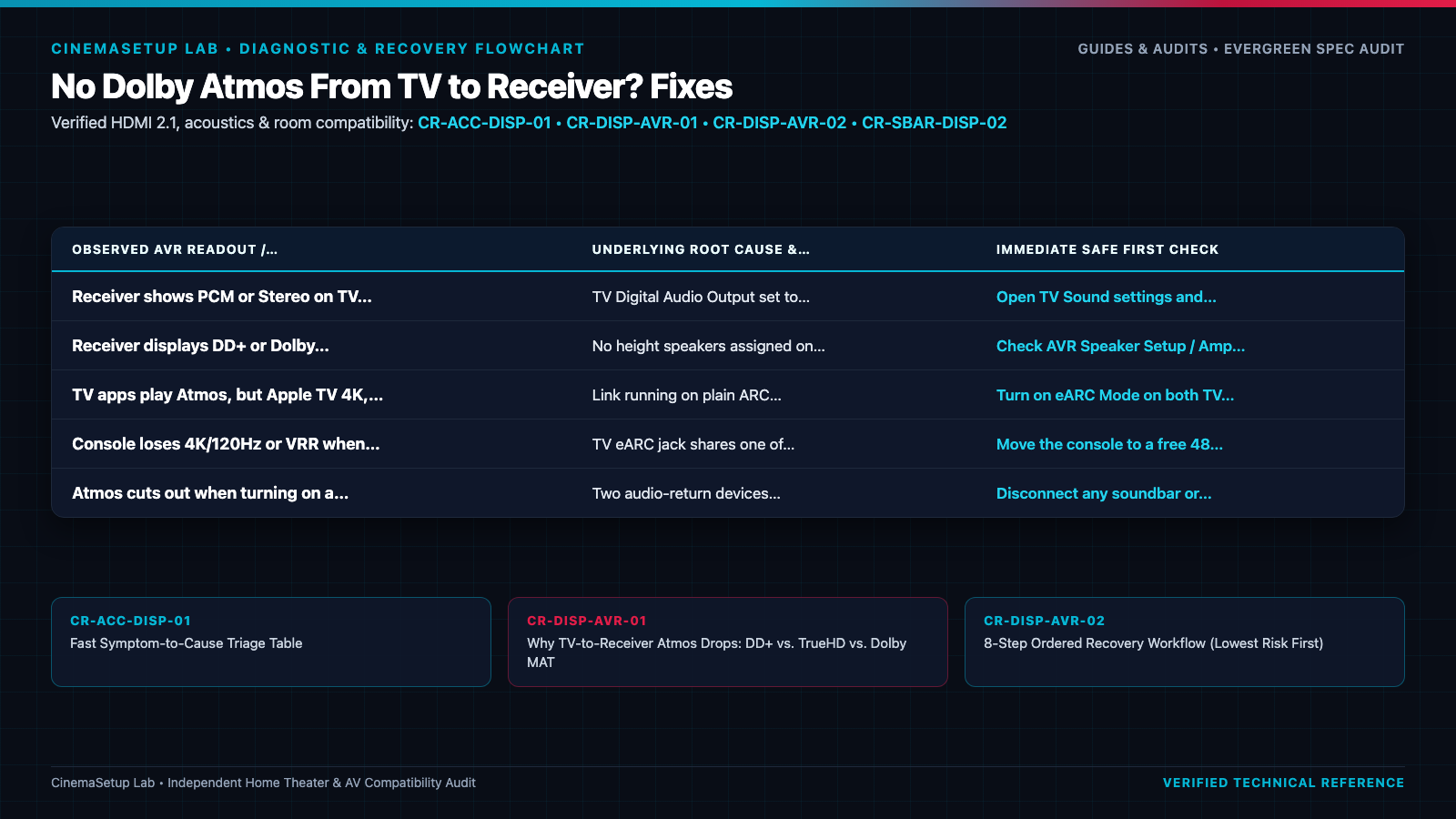
Fast Symptom-to-Cause Triage Table
Your AV receiver’s front-panel readout and on-screen Info overlay tell you exactly where the Dolby Atmos metadata was stripped or rejected. Match what you see on the receiver to the compatibility rule and immediate safe check below.
| Observed AVR Readout / Symptom | Underlying Root Cause & Rule Trigger | Immediate Safe First Check |
|---|---|---|
Receiver shows PCM or Stereo on TV apps | TV Digital Audio Output set to PCM instead of Pass Through or Auto | Open TV Sound settings and change Digital Audio Output to Pass Through (or Bitstream) and confirm eARC is enabled. |
Receiver displays DD+ or Dolby Surround, never Dolby Atmos | No height speakers assigned on AVR (CR-SPK-AVR-04), wrong listening mode, or streaming plan lacks Atmos | Check AVR Speaker Setup / Amp Assign for a 5.1.2 or 5.1.4 height layout and set sound mode to Auto / Movie. |
| TV apps play Atmos, but Apple TV 4K, Xbox, or 4K Blu-ray drops to 5.1/2.0 | Link running on plain ARC instead of eARC, blocking Dolby MAT and lossless TrueHD (CR-DISP-AVR-01, CR-SRC-AVR-04) | Turn on eARC Mode on both TV and AVR, or plug those external sources directly into an AVR HDMI input. |
| Console loses 4K/120Hz or VRR when plugged into eARC port | TV eARC jack shares one of only two HDMI 2.1 40/48 Gbps ports (CR-DISP-AVR-02) | Move the console to a free 48 Gbps TV input or a 40 Gbps AVR input, keeping the AVR on the TV’s labeled eARC jack. |
| Atmos cuts out when turning on a soundbar or secondary box | Two audio-return devices colliding on the single HDMI-CEC bus (CR-SYS-03) | Disconnect any soundbar or legacy HDMI matrix box so only the AVR occupies the TV’s eARC/ARC audio-return path. |
Receiver reads Dolby Atmos, yet overhead sounds stay flat | Height channel level too low, Zone 2 stealing amps (CR-SPK-AVR-06), or vaulted ceiling with up-firing modules (CR-SPK-ROOM-01) | Run receiver level-calibration tones at a comfortable volume and verify physical ceiling or on-wall height wiring. |
| Atmos drops out or goes silent over long wall runs | Unverified cable over 10 ft (3 m) or backward directional active fiber HDMI cable (CR-ACC-DISP-01) | Verify Source and Display ends on active optical cables, or check with a short certified 6 ft (1.8 m) Ultra High Speed cable. |
Why TV-to-Receiver Atmos Drops: DD+ vs. TrueHD vs. Dolby MAT
Dolby Atmos is not a single standalone audio codec; it is an object-based spatial audio layer carried inside one of three distinct transport containers. Understanding which container your source uses explains immediately why Netflix from a built-in TV app might trigger Dolby Atmos on your receiver while a 4K Blu-ray player or Apple TV 4K plugged into the same television falls back to stereo PCM or legacy 5.1 surround.
| Atmos Transport Container | Typical Sources | Works Over Plain ARC? | Requires HDMI eARC or Direct AVR Input? | What Happens When Bottlenecked |
|---|---|---|---|---|
| Dolby Digital Plus + JOC (Lossy) | Built-in TV streaming apps (Netflix, Disney+, Max, Prime Video, Apple TV+) | Yes (if TV passes DD+ over ARC) | No, though eARC remains more reliable for handshake stability | Drops to Dolby Digital 5.1 or PCM 2.0 if TV Digital Out is wrong or app plan excludes Atmos. |
| Dolby TrueHD + Atmos (Lossless) | 4K UHD Blu-ray players, local MKV media servers (Shield TV Pro) | No (CR-DISP-AVR-01) | Yes—requires eARC on both TV and AVR, or player wired straight to AVR | Strips down to core Dolby Digital 5.1 or goes silent if TV cannot downconvert TrueHD. |
| Dolby MAT 2.0 (LPCM + Metadata) | Apple TV 4K, Xbox Series X (games/apps), PS5 (Tempest 3D Atmos mode) | No (CR-SRC-AVR-04) | Yes—requires full 8-channel LPCM bandwidth via eARC or direct AVR connection | Collapses into 2.0 Stereo PCM because standard ARC maxes out at two uncompressed PCM channels. |
This container split is codified in cross-compatibility rule CR-DISP-AVR-01: built-in TV apps mostly output lossy Dolby Digital Plus with Joint Object Coding (JOC), which standard HDMI ARC can carry at roughly 1 Mbps. By contrast, lossless Dolby TrueHD from a 4K Blu-ray player and uncompressed multichannel PCM inside Dolby MAT from an Apple TV 4K or game console exceed ARC’s compressed-audio ceiling and require Enhanced Audio Return Channel (eARC) active on both the television and the AV receiver. To see the exact pin-level and bandwidth differences between the two return buses, review our deep dive on eARC vs. ARC bandwidth and lossless audio limits.
The same lossless bottleneck applies if you ever compare a discrete receiver setup against an Atmos soundbar (CR-SBAR-DISP-02): a soundbar without eARC cannot receive lossless TrueHD Atmos from a player plugged into the TV either. If you are troubleshooting a secondary living-room soundbar rather than a discrete speaker AVR, follow our dedicated soundbar HDMI ARC and eARC troubleshooting guide instead.
8-Step Ordered Recovery Workflow (Lowest Risk First)
Work through these eight steps in sequence. Do not skip directly to replacing HDMI cables or resetting your AVR to factory defaults until you have verified port assignments, TV digital passthrough toggles, source output modes, and height-speaker configuration—over 80% of missing-Atmos cases live inside steps 1 through 5.
Step 1: Lock the Physical eARC Port & Clear Competing CEC Devices (CR-DISP-AVR-01, CR-SYS-03)
First, power down both devices and physically trace the HDMI cable running between your television and your AV receiver. On most televisions, only a single HDMI jack carries the ARC/eARC hardware pins:
- TV side: Confirm the cable plugs into the exact port silk-screened
eARCorARC. On an LG C6 OLED, eARC resides onHDMI 2(all four inputs carry 48 Gbps bandwidth). On models like the Sony Bravia 8, eARC sits onHDMI 3, which shares one of the TV’s two 4K/120Hz gaming ports (CR-DISP-AVR-02). On a Samsung S90H, verify the labeledHDMI 3 (eARC)jack. - AVR side: Confirm the cable connects to the receiver’s
HDMI OUT (MONITOR 1 / eARC / ARC)jack—never plug the TV return cable intoHDMI IN(such asCBL/SATorMedia Player) or into a secondaryMONITOR 2 / Zone 2output that lacks eARC hardware support. - Single audio-sink rule (
CR-SYS-03): A television supports only one active ARC/eARC audio-return target at a time. If you still have a soundbar, wireless headphone base station, or older HDMI audio extractor plugged into another HDMI port with CEC enabled, unplug it completely so your AV receiver has exclusive control of the CEC audio-return bus.
Step 2: Enable HDMI-CEC, Turn On eARC Mode & Switch Digital Out to Pass Through
Once the physical cable path is confirmed, inspect the television’s audio and external-device menus. Two common menu traps silently strip Dolby Atmos before it leaves the TV:
- Disabled HDMI-CEC: Even though the HDMI 2.1a eARC specification uses a dedicated discovery line rather than CEC for audio transport, almost all mainstream TV operating systems hide or lock out wired eARC output unless HDMI-CEC is turned on (
Anynet+on Samsung,SIMPLINKon LG,BRAVIA Syncon Sony). PCMor aggressiveAutotranscoding: Setting Digital Audio Output toPCMforces the TV to decode surround tracks down to 2-channel stereo, erasing all Dolby Atmos objects. EvenAutoon certain TV firmwares converts incoming Dolby MAT or TrueHD into plain Dolby Digital 5.1. Always preferPass Through(orBitstream) when feeding an AV receiver, and explicitly switcheARC SupportfromOfftoAutoorOn.- TV speaker sync toggles: Temporarily disable multi-speaker TV features such as Q-Symphony, WOW Orchestra, or Acoustic Center Sync while diagnosing; those modes are built primarily for matching-brand soundbars and can interfere with standard AVR bitstream handshakes.
If your television’s Pass Through option appears grayed out, switch TV Sound Output temporarily to Internal TV Speakers, launch a streaming title, then switch back to HDMI(eARC) Device / Audio System so the TV re-polls the receiver’s audio EDID capabilities.
Step 3: Audit Source Audio Settings & Streaming App Atmos Tiers (CR-SRC-AVR-04)
Under rule CR-SRC-AVR-04, a receiver can only render Dolby Atmos if the upstream source actually outputs an Atmos bitstream or Dolby MAT stream. Device-level support does not guarantee every app or disc menu sends Atmos automatically:
- Built-in TV & external streaming apps: Verify that your subscription tier includes Spatial Audio / Dolby Atmos—for example, ad-supported or standard HD plans on several major platforms lock streams to 5.1 even when the title badge mentions Atmos elsewhere. Also confirm the video language track is set to the native Atmos mix (often
English [Original]) rather than a secondary dubbed 5.1 track. Check our device-by-device guide to streaming apps that support Dolby Atmos to confirm your specific TV OS or streaming stick carries Atmos on that app. - Apple TV 4K (3rd Gen): Navigate to Settings → Video and Audio → Audio Format. Ensure
Change Formatis set toOffandDolby AtmosisOn. Remember that Apple TV 4K packages Atmos insideDolby MAT(multichannel LPCM). If your TV only supports plain ARC (no eARC) or blocks multichannel LPCM passthrough, the Apple TV 4K will hide the Dolby Atmos option until you plug it directly into the AVR. - Xbox Series X: Open Settings → General → Volume & audio output. Set HDMI audio to
Dolby Atmos for home theater(install and complete the free Dolby Access home theater setup prompt if missing). For 4K Blu-ray discs, separately open Settings → Devices & connections → Blu-ray and checkLet my receiver decode audio. - PlayStation 5 / PS5 Pro: Open Settings → Sound → Audio Output, set
HDMI Device TypetoAV Amplifier, matchNumber of Channelsto your setup (such as5.1 chor7.1 ch), and setAudio Format (Priority)toDolby Atmosfor games and streaming apps. Note that 4K UHD Blu-ray disc playback uses a separate in-player menu: press the Options button while a disc is playing, open the three-dot Settings menu, and changeAudio FormatfromLinear PCMtoBitstream. - Dedicated 4K UHD Blu-ray players (such as Panasonic DP-UB820): Set Digital Audio Output for Dolby Audio to
Bitstreamand setBD-Video Secondary AudiotoOff. Leaving Secondary Audio turnedOnforces the disc player to decode Dolby TrueHD internally so it can mix in menu clicks or commentary, permanently stripping Dolby Atmos metadata and downgrading the stream to legacy core 5.1.
Step 4: Bypass the TV for Problem Sources & Check AVR HDMI Signal Format (CR-DISP-AVR-01, CR-SRC-AVR-01)
If your television has only standard ARC (common on pre-2019 TVs and many entry-level projectors), or if your TV firmware refuses to pass Dolby MAT or TrueHD cleanly over eARC, stop routing external boxes through the TV. Plug your Apple TV 4K, 4K Blu-ray player, or streaming box directly into an HDMI IN jack on your AV receiver, then send video upward to the TV over the AVR’s HDMI OUT (Monitor) port.
When wiring sources through the receiver, pay attention to two AVR-side HDMI settings:
- HDMI 2.1 40 Gbps port allocation (
CR-SRC-AVR-01): On 7.2-channel receivers like the Denon AVR-X1800H, three of the six HDMI inputs support 40 Gbps 4K/120Hz passthrough while the other three max out at 18 Gbps 4K/60Hz. On higher-tier models such as the Denon AVR-X3900H (9.4-channel processing) or Marantz Cinema 50, confirm which rear inputs are rated for 8K/40 Gbps before routing a PS5 or Xbox Series X through the AVR. If your receiver lacks 40 Gbps inputs (common on older HDMI 2.0 AVRs), keep the gaming console plugged straight into the TV’s 4K/120Hz input and use eARC—or use a dual-HDMI 4K Blu-ray player like the Panasonic DP-UB820 to send 4K HDR video directly to the TV while sending lossless Atmos audio on its dedicated secondAUDIO OUTHDMI port straight to the AVR (CR-SRC-AVR-02,CR-SRC-AVR-04). - AVR
4K/8K Signal Formatmenu: On Denon, Marantz, and Yamaha AVRs, navigate to Video → 4K/8K Signal Format (or HDMI Video Format in Yamaha’s Advanced Setup) and switch the input fromStandardtoEnhanced(or8K Enhancedfor 4K/120Hz consoles). Also ensure the AVR’sHDMI Audio Outsetting is set toAVR, notTV—ifHDMI Audio Outis accidentally set toTV, the receiver passes audio straight up to the TV speakers and mutes its own Atmos decoder.
Step 5: Verify AVR Speaker Assignment, Processing Channels & Listening Mode (CR-SPK-AVR-04, CR-SYS-05)
An AV receiver will not engage discrete Dolby Atmos overhead decoding unless it knows physical height speakers are wired and assigned. Under compatibility rule CR-SPK-AVR-04, your speaker layout cannot exceed the AVR’s processing channel count:
- Confirm minimum 5.1.2 / 7-channel processing: A basic 5.1 or 5.2 AVR has only five main speaker channels and cannot run physical height speakers. You need at least a 7-channel receiver (such as the Denon AVR-X1800H or Yamaha RX-V6A) configured for
5.1.2, or a 9-channel/11-channel processor (such as the Denon AVR-X3900H) for5.1.4or7.1.4(the latter using a 2-channel external power amp on the height pre-outs perCR-SPK-AVR-05). - Check
Amp AssignandZone 2conflicts (CR-SPK-AVR-06): Open Speakers → Manual Setup → Amp Assign (or Power Amp Assign) on your receiver. Verify the layout is set to5.1.2,5.1.4, or7.1.4with physical height positions (Top Front,Top Middle,Front Height, orFront Dolby) enabled—not7.1 Surround BackorZone 2. ActivatingZone 2or front-speakerBi-Ampborrows the rear/height amplifier channels on 7-channel AVRs, silently disabling Atmos height playback. - Physical heights vs. virtualization (
CR-SYS-05): If your AVR listsDolby Height Virtualization, remember that DSP virtualization is not physical height sound. Conversely, if you use physical up-firing Atmos modules, ruleCR-SPK-ROOM-01notes they require a flat, hard reflective ceiling roughly 7.5 ft (2.3 m) to 12 ft (3.7 m) high; vaulted, sloped, or heavily carpeted/treated ceilings weaken overhead bounce even when the AVR front panel displaysDolby Atmos. - Set the Sound Mode to
AutoorMovie → Dolby Atmos: Pressing thePure Direct,Stereo,Multi Ch Stereo, orDTS Neural:Xbutton on your remote locks out native Atmos metadata. Cycle the AVR’sMovieorSurround Modebutton until it displaysDolby Atmos(orAuto). Also verify your AVR’sHDMI Control / ARC / eARCtoggle is switchedOninside the receiver’s Video/HDMI setup menu.
Step 6: Run a 60-Second Full AC Power-Cycle Handshake Reset
Smart TVs and modern AV receivers keep HDMI EDID tables and eARC states cached in standby memory even when turned off with a remote. After firmware updates or swapping cables, stale EDID flags frequently tell a TV that the receiver only accepts 2.0 PCM or legacy Dolby Digital 5.1.
To purge those volatile buffers safely: turn off the TV, AV receiver, and connected sources, then unplug their AC power cords from the wall outlet or surge protector for a full 60 seconds. Plug in and power on the AV receiver first (wait until its front relay clicks and the display settles), power on the TV second, wait 15 seconds for HDMI-CEC and eARC discovery to complete, and then wake your source device last.
Step 7: Audit HDMI Cable Certification, Length & Active Fiber Direction (CR-ACC-DISP-01)
While Dolby Digital Plus Atmos over ARC needs very little video bandwidth, HDMI eARC uses high-speed differential signaling over pins 14 and 19 (the HDMI Ethernet and Audio Return Channel conductors). Two cable pitfalls routinely break eARC Atmos:
- Legacy pre-HDMI 1.4 or damaged passive copper cables: Very old cables lack the connected HEC/eARC pins, and long passive copper runs beyond 10 ft (3 m) to 15 ft (4.6 m) suffer signal attenuation when carrying 4K/120Hz video simultaneously with eARC return audio. Replace suspect runs with a short, certified Ultra High Speed HDMI Cable (48 Gbps) carrying the official HDMI Licensing Administrator hologram and scannable QR label, ideally 6 ft (1.8 m) to 10 ft (3 m) in length.
- Reversed or non-eARC active optical fiber (AOC) cables: For projector or wall-routed runs spanning 20 ft (6.1 m) to 50 ft (15.2 m), active optical HDMI cables are strictly directional. If the
Displayplug sits in the AVR or theSourceplug sits in the TV—or if an older fiber cable uses copper return lines without full eARC pin support—video may work while eARC fails. Remember that any HDMI cable installed behind drywall must carry a ULCL2orCL3rating (G-27).
Step 8: Install Pending Firmware Updates & Check AVR Audio Info Readouts
TV and AVR makers periodically patch eARC handshakes, Dolby MAT lip-sync drift, and console Atmos bugs via firmware updates. Connect both your television and AV receiver to your home network temporarily to check for official firmware updates, then repeat the 60-second AC power-cycle from Step 6 afterward.
Before contacting US manufacturer support, open your AVR’s diagnostic status page (for example, Setup → General → Information → Audio on Denon/Marantz receivers, or the on-screen Info button on Yamaha/Onkyo units). Record the exact Signal, Channel In, and Channel Out lines while an Atmos title is playing. If Signal shows PCM 2.0 or DD+ 5.1, the bottleneck sits upstream in the TV or source; if Signal shows Dolby Atmos while Channel Out omits your height speakers, the issue sits inside the AVR’s speaker assignment or amplifier protection state.
Brand-by-Brand TV & AVR Menu Quick Reference
Manufacturers name identical HDMI eARC, CEC, and passthrough toggles differently. Use this cross-reference matrix to locate the exact menu labels on popular current TVs and AV receivers.
| Brand / Platform | CEC Toggle Name | eARC Port & Output Setting | Required Digital Audio Setting |
|---|---|---|---|
| LG webOS (e.g., LG C6) | SIMPLINK (HDMI-CEC) → On | HDMI 2; Sound Out: Use Wired Speaker → HDMI(ARC) Device; eARC Support → On | Advanced Settings → Digital Sound Output: Pass Through; HDMI Input Audio Format: Bitstream |
| Samsung Tizen (e.g., Samsung S90H) | Anynet+ (HDMI-CEC) → On | HDMI 3 (eARC); Sound Output: Receiver (HDMI-eARC); HDMI-eARC Mode → Auto | Expert Settings → Digital Output Audio Format: Pass Through (if grayed out, select Auto during active playback) |
| Sony Google TV (e.g., Bravia 8) | BRAVIA Sync control → On | HDMI 3; Speakers: Audio system; eARC mode → Auto | Audio Output → Digital audio out: Auto 1 (outputs compressed/Atmos without transcoding) and Pass through mode → Auto |
| TCL / Hisense Google TV | CEC Control → On | Labeled eARC port; Audio Output: ARC / eARC | Digital Audio Out: Pass Through (avoid PCM and Dolby Digital-only lock) |
| Denon / Marantz AVRs (AVR-X1800H / X3900H / Cinema 50) | HDMI Control → On; ARC / eARC → On | HDMI OUT MONITOR 1 (eARC); HDMI Audio Out → AVR | Set 4K/8K Signal Format to Enhanced; assign 5.1.2 or 5.1.4 in Amp Assign; Movie mode → Dolby Atmos |
| Yamaha AVRs (RX-V6A / AVENTAGE) | HDMI Control → On; ARC → On | HDMI OUT (eARC) | Set HDMI Video Format to Mode 1 (4K/120Hz or 4K/60Hz 4:4:4); Surround Decoder / Straight / Auto |
Post-Fix Verification & Lip-Sync Alignment
Once your receiver lights up with Dolby Atmos, run four quick checks to confirm real object-based height output rather than a front-panel label quirk or out-of-sync dialogue:
- Verify true Atmos vs. Dolby Surround upmixing: Your receiver should read
Dolby Atmos(orDD+ + Atmos/TrueHD + Atmos) rather thanDD+ + DSur. The+ DSursuffix means the receiver is only receiving a 5.1 channel bed and synthesizing height cues with its upmixer—revisit Step 3 if you seeDSuron an Atmos-badged title. - Confirm height channel wiring with level-calibration tones: With the master volume lowered to a comfortable setting, open your AVR’s speaker level menu and step through the built-in level-calibration tones. Confirm pink noise plays clearly from each assigned overhead or up-firing height speaker—not from your rear surrounds—and re-run Audyssey, Dirac Live, or YPAO room calibration if you changed the
Amp Assignlayout. - Check active channel count in the AVR Info overlay: Confirm the input icon shows active height/object metadata and output channels match all connected speakers (for example,
5.1.2or5.1.4). - Align AV lip-sync delay (
CR-SYS-04): Switching a TV toPass Throughoccasionally reveals slight audio-video timing offset on eARC streams. EnableAuto Lip Syncinside your AVR’s Audio Delay menu, or adjust the TV’sAV Sync / Bypassslider in 10 ms increments until dialogue matches on-screen mouth movement.
Official Technical Standards & Manufacturer Citations
All eARC bandwidth rules, Dolby Atmos container distinctions, CEC behaviors, and menu designations in this guide are verified against official standards bodies and US manufacturer documentation:
- HDMI Licensing Administrator — HDMI 2.1a & Enhanced Audio Return Channel (eARC) Specification (defines eARC uncompressed audio return up to 37 Mbps, HEC pin architecture, and Ultra High Speed HDMI Cable certification).
- Dolby Laboratories — Dolby Atmos Technical Overview & Home Theater Setup Guidelines (documents Dolby Digital Plus JOC, lossless Dolby TrueHD, Dolby MAT transport, and ceiling reflection height ranges).
- Denon US Support — HDMI eARC Setup, Amp Assign & 4K/8K Signal Format Documentation (covers Denon AVR-X1800H and AVR-X3900H HDMI Audio Out, Audyssey speaker configuration, and Diagnostic Audio Info readouts).
- LG US Support — webOS SIMPLINK (HDMI-CEC), eARC & Digital Sound Output Pass Through Guide (documents HDMI 2 eARC assignment, Bitstream input audio format, and Pass Through behavior on LG OLED models).
- Apple Support — Play Audio in Dolby Atmos or Surround Sound on Apple TV 4K (confirms Dolby MAT multichannel LPCM output and HDMI eARC / direct-to-receiver connection requirements).
How We Audited This Guide
- Room setups, upgrade roadmaps, and Amazon marketplace audits enforce system-wide CR-* budgets and acoustics, Canadian /ZC grey-market alerts, pair-vs-single speaker clarity, and manufacturer-first mounting safety.
- Every AV receiver, speaker, subwoofer, soundbar, OLED/Mini-LED TV, projector, source player, and accessory spec was cross-checked against official manufacturer manuals, CEA/CTA standards, and live Amazon US listings.
- Recommendations were evaluated against our weighted vertical scoring rubrics and documented CR-* compatibility rules; we never invent nits, contrast ratios, bench wattage, or room decibels.
Continue Your Audit
Frequently Asked Questions
Why does my TV send 5.1 Dolby Digital Plus to my receiver instead of Dolby Atmos?
When an AV receiver shows Dolby Digital Plus without Atmos, the cause is usually a TV Digital Audio Output menu stuck on Auto or PCM instead of Pass Through, an unassigned height-speaker layout in the AVR Amp Assign menu, or a streaming subscription tier that restricts playback to 5.1 surround.
Can standard HDMI ARC pass Dolby Atmos from my TV to my receiver?
Yes, but only for lossy Dolby Digital Plus Atmos used by built-in TV streaming apps. Standard ARC cannot carry lossless Dolby TrueHD Atmos from 4K Blu-ray discs or Dolby MAT multichannel LPCM from Apple TV 4K and game consoles—those require HDMI eARC on both ends or direct AVR connection.
Why do I get no Dolby Atmos from Apple TV 4K when plugged into my TV?
Apple TV 4K outputs Dolby Atmos inside Dolby MAT, an uncompressed multichannel LPCM container. If your TV only supports standard ARC or lacks multichannel LPCM passthrough over eARC, the TV drops the signal to stereo PCM. Plugging Apple TV 4K straight into an AVR HDMI input resolves this immediately.
Do I need an 8K 48 Gbps HDMI cable just to get Dolby Atmos over eARC?
You do not strictly need 48 Gbps for audio alone, because any High Speed HDMI Cable with Ethernet (18 Gbps) includes the required eARC/HEC conductors. However, using a certified Ultra High Speed 48 Gbps copper cable under 10 ft (3 m) prevents simultaneous 4K/120Hz video and eARC audio dropouts.
Will my AV receiver play Dolby Atmos if I only have a 5.1 speaker setup?
No discrete overhead Atmos rendering occurs without assigned height speakers. A 5.1-only receiver lacks height channels entirely, and a 7-channel receiver configured as 5.1 in Amp Assign will fold Atmos objects down to ear-level 5.1 speakers or apply simulated DSP height virtualization rather than physical height output.
Is it better to plug my 4K Blu-ray player into the TV or the AV receiver?
Plugging a 4K Blu-ray player directly into an AV receiver input is the cleanest path for lossless Dolby TrueHD Atmos and DTS:X, because it bypasses TV eARC and DTS passthrough blocks completely. If your AVR lacks Dolby Vision or 4K/120Hz passthrough, use a dual-HDMI player or TV eARC.


